

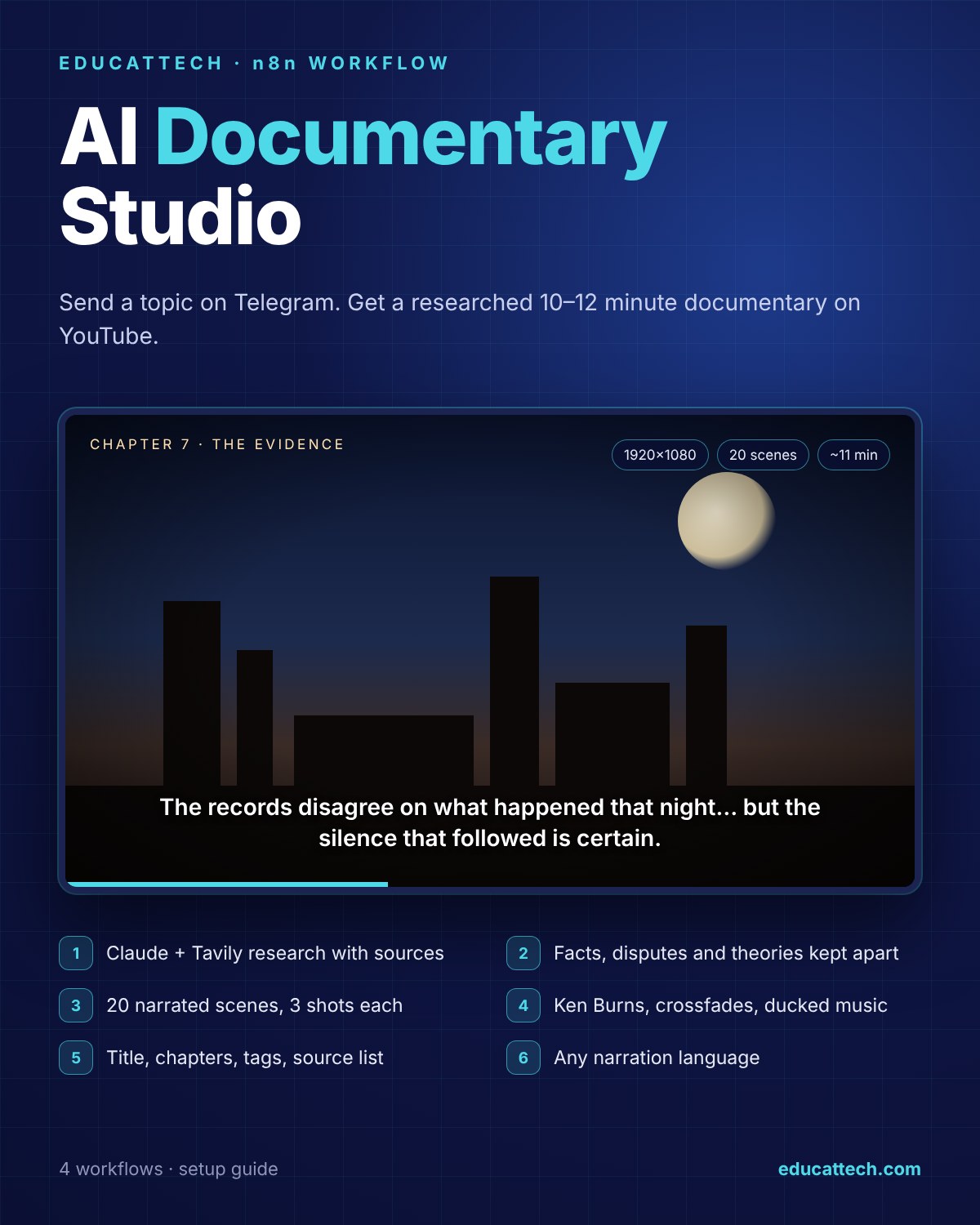

Long-form documentaries, not slideshows
Long videos are where viewers stay — and where most AI pipelines fall apart: invented dates, a single still image per minute, music drowning the voice, no chapters. This workflow runs the documentary channel we built it for. Every video is researched first, written only from that research and rendered like an edited film.
What one run produces
- A 1920×1080 documentary of roughly 10–12 minutes: 20 narrated scenes of 70–100 words
- Three different AI shots per scene (wide, close-up, dramatic angle) with slow Ken Burns motion and crossfades
- Background music ducked under the narration and loudness normalised for YouTube
- Title, description, YouTube chapters with real timestamps, tags and the list of sources the research used
- Upload to YouTube with the “altered or synthetic content” flag set automatically; optional copy to Google Drive
- Telegram progress messages, a final report and error alerts
How accuracy is protected
- Structured research: a Claude research agent searches with Tavily and must separate verified facts, disputed claims and speculation — and list its sources.
- Source fidelity: the script may not add any date, name, place or number that is not in the research; theories are always narrated as theories.
- Validation with retries: scene count, word counts and image prompts are checked, broken JSON is repaired and invalid scripts are regenerated up to two times.
- No incomplete videos: if any scene loses its voice or images, the render never starts.
- Respectful imagery: no people or victims on screen — archive objects, places and landscapes only.
Made for your channel
One settings node holds your channel name, narration language (English, Spanish, German, French, Turkish and more), YouTube privacy and region, and the YouTube / Drive switches. Conceptual topics such as the Fermi Paradox automatically get a calmer, philosophical structure; events and places get a story arc from origins to open questions.
What is included
- Main workflow (46 nodes) and 3 sub-workflows: narration, scene images, render
- An English setup guide with credential table, Cloudinary setup, customisation and troubleshooting
- A list of proven topic ideas
Requirements
n8n (Cloud or self-hosted, recent version) and your own accounts for Telegram (bot), Anthropic, Tavily, OpenAI (voice), fal.ai (images), Cloudinary (free plan works), Rendi (cloud ffmpeg) and YouTube; Google Drive is optional. You pay each provider directly. Use background music you have the rights to.
DIY or VIP Installation
DIY Setup — download immediately and follow the guide.
VIP Installation — we import the workflows into your n8n, connect your accounts, set your channel and language and produce the first documentary with you.

Reviews
There are no reviews yet.