

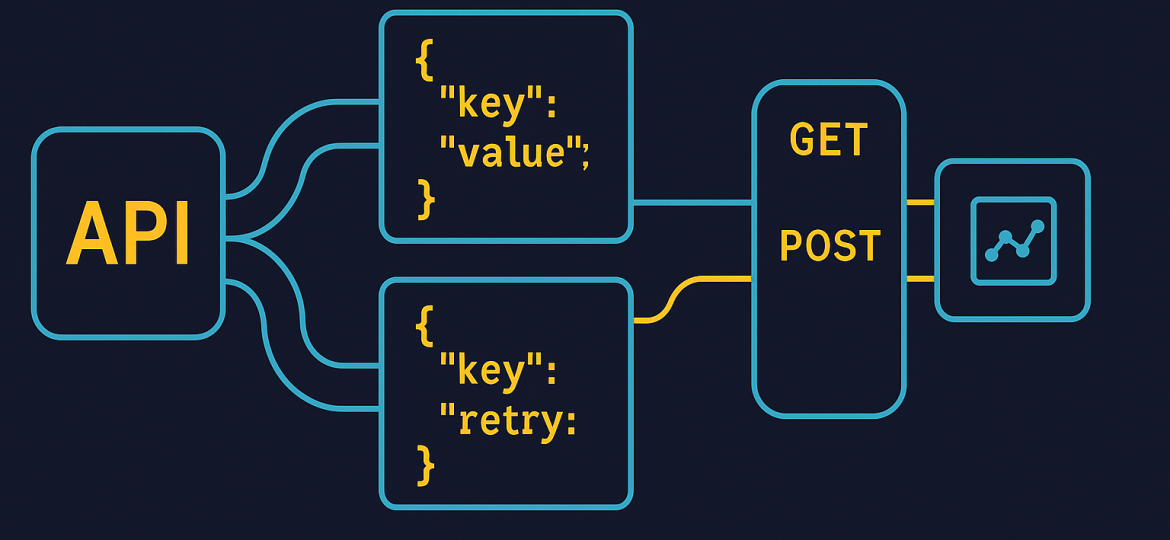
The bigger your automation ambitions get, the more likely you are to hit API rate limits. Imagine you’ve just set up a workflow that syncs thousands of product records or updates hundreds of users in real time. The first test run looks perfect—until a few minutes in, when failures appear: “Rate limit exceeded,” “429 Too Many Requests,” or just a series of silent flops. Now some records go unsynced, data falls out of date, and your promise of seamless automation takes a hit.
If you’re building with n8n, you already have a powerful toolkit for designing robust, production-ready automations. But integrating with external APIs at scale isn’t just about wiring up endpoints—it’s about dealing with the realities of how much the other side will let you send, and when. API providers limit throughput to keep their services healthy. Hit that ceiling too hard or too often, and you get throttled or blocked. Your automations stall unless you’ve got a plan for rate limits and retries.
This guide walks you through everything you need to know to build resilient n8n workflows that handle rate limits, pause and retry intelligently, and avoid data corruption or duplicates. We’ll cover pure settings-based approaches, workflow patterns like batching and central queues, and what kinds of mistakes can cost you real time and headaches.
What Are API Rate Limits and Automatic Retries—And Why Do They Matter?
API rate limits are restrictions set by a service to control how many requests you can make in a given window—say, 60 per minute or 10,000 per day. These limits prevent overload and help the provider serve all customers fairly. When your workflow sends too many requests, you’ll get an error—often a 429 Too Many Requests status, or a “rate limit exceeded” message.
Automatic retries are attempts by your workflow to resend a failed request after waiting. The idea: most transient errors (like brief API overloads or network hiccups) resolve themselves after a short pause, but unhandled failures can break data syncs, cascade into duplicates, or leave gaps.
Here’s why managing rate limits and automatic retries matters in n8n:
- Prevent Data Loss or Inconsistency: If your workflow just skips items when rate limits hit, you’ll lose data or process only part of your batch.
- Maintain Integration Uptime: Retrying with smart delays can keep your automation running through temporary blocks, rather than failing outright.
- Respect API Quotas: Exceeding rate limits too aggressively can get your account throttled or banned.
- Avoid Duplicates and Race Conditions: Poor retry logic can resend the same operation multiple times, leading to inconsistent states.
Automating around rate limits isn’t just about compliance; it’s about keeping your integrations robust for real-world use.
How to Implement Rate Limit Handling and Automatic Retries in n8n
n8n offers several tools and patterns for working with APIs that enforce rate limits. The right approach depends on your throughput needs, the API’s specific rules, and the complexity of your workflow.
1. Use Built-in Retry On Fail
For most APIs, you can start with n8n’s built-in “Retry On Fail” setting—available on most nodes that send requests (including the HTTP Request node).
How it works:
- Enable Retry On Fail in the node’s settings.
- Set how many times n8n should retry (e.g., 3).
- Set how long to wait between attempts (
Wait Between Tries (ms)).
Best practice:
Set the wait time to slightly more than the API’s published rate limit window. For example, if you’re allowed 1 request per second, set the retry wait to 1100 ms.
Steps:
- Edit your HTTP Request (or integration) node.
- Open the Settings tab.
- Toggle Retry On Fail.
- Set Retry Count (e.g., 3).
- Set Wait Between Tries (ms) (e.g., 1100).
What It Handles:
- Temporary rate limit errors (short spikes)
- Sporadic network failures
What It Won’t Do:
- Throttle the initial request rate (it only reacts to failures)
- Prevent overstepping limits when processing large batches
2. Throttle Requests With Batching, Loop and Wait
If you process thousands of items or hit limits quickly, proactive throttling is better than just reacting to errors. Use a combination of the Split In Batches, Loop Over Items, and Wait nodes.
Pattern:
- Use Split In Batches to chunk your data (e.g., 10 items at a time).
- Loop over each item in the batch, adding a Wait node to pause between API calls.
- Control throughput with batch size and wait duration.
Example:
[SPLIT IN BATCHES] → [LOOP OVER ITEMS] → [WAIT (e.g., 1200 ms)] → [HTTP REQUEST]This sends one request per X milliseconds, guaranteeing you never go above the API’s documented rate. It’s predictable, avoids a burst of 429 errors, and is ideal for high-volume use cases.
3. Respect the Retry-After Header (If Provided)
Many APIs will respond to a rate limit violation with a Retry-After header, explaining how long to wait.
How to use it:
- Check the HTTP response code for 429.
- Read the
Retry-Aftervalue (usually in seconds). - Wait for that duration before retrying.
Custom Logic Example (JavaScript node):
const attempt = $json.attempt || 0;
const retryAfter = Number($json.retryAfter) || Math.pow(2, attempt);
return [{
  json: {
    ...$json,
    attempt: attempt + 1,
    retryAfter
  }
}];
This example applies exponential backoff (increasing wait per attempt) if no Retry-After is given.
4. Centralize External API Requests With Queues
For extremely high throughput—or if several workflows can trigger API requests in parallel—a single workflow’s backoff isn’t enough. If each workflow retries independently, you can cause a “thundering herd” effect: simultaneous retries, leading to spikes and repeated rate-limit errors.
Better approach:
- Centralize API calls in a sub-workflow or queue.
- All main workflows send tasks to a queue (could be a database, Airtable, or message queue).
- A single worker workflow processes these tasks sequentially, handling its own retry and delay logic.
Benefits:
- Only one worker manages the rate limit.
- Easier to track remaining quota.
- Prevents duplicated retries and wasted throughput.
Example Pattern:
[WORKFLOW 1]
   |
[QUEUE TASK]
   |
[API CALL WORKER]
   |
[HANDLE RETRIES / THROTTLING]
5. Track Quota State Persistently
If API quotas reset periodically, you can persist quota state in an external store (database, sheet, cache) to coordinate across multiple workflow executions.
- Before sending a request, check available quota.
- If close to zero, write a “cooldown until” timestamp and skip new requests until cooldown.
- Update quota after every successful request.
This is advanced but lets you survive even in cases where multiple workflow runs risk blowing through limits all at once.
Common Mistakes and How to Avoid Them
1. Only Using Retries Without Throttling
Retries alone don’t prevent high initial request rates. If you send 1000 calls instantly and hit a limit, all will fail and retry at the same instant—risking mass failures again (retry storm). Combine retries with proactive throttling via Wait nodes.
2. Ignoring the Retry-After Header
APIs often tell you exactly how long to wait before trying again, but generic retry logic may use a fixed delay. Always check for and respect the Retry-After header.
3. Not Protecting Against Duplicate Processing
When an API request fails and you retry, you risk repeating the exact same operation. For tasks like updating records or sending emails, this can cause data corruption or double actions. Use idempotency keys (a unique identifier per operation) if the API supports them, or carefully track request status in your workflow.
4. Each Workflow Managing Its Own Limits Independently
If your integration is large enough to have multiple concurrent workflows, and each one handles rate limits alone, you can generate surprise spikes. Centralize where possible.
5. Forgetting to Set a Maximum Retry Count
Infinite retries can clog up your workflow run queue, use up system resources, and never resolve. Always cap the number of retries, and use exponential backoff when the timing is uncertain.
Trade-offs and When Not to Use These Approaches
No rate limit strategy is one-size-fits-all. Some trade-offs to consider:
Strict Batching and Throttling Reduces Throughput
Waiting between every request slows down your workflows. If you have a generous rate limit or strict time requirements, a more aggressive strategy (larger batch size, shorter waits) may be possible.
Centralized Queues Add Complexity
Using queues and central worker patterns introduces more moving parts—external storage, coordination workflows, and possibly more error cases. For smaller automations, this may be overkill.
Persisting Quota State has Overhead
Storing and synchronizing quota counts across runs adds write/read delays and requires transactional handling to stay correct.
Over-Retrying Can Mask Systemic Problems
Not all errors are caused by rate limits. If retries and waits never succeed, you might be masking bugs, bad requests, or misconfigured endpoints. Make sure your error logic distinguishes between transient limits and permanent failures.
Idempotency May Not Be Available
Not all APIs support idempotency keys or re-trying the same request without risk. In those cases, extra care or custom logic is needed to avoid duplicate operations.
Use the simplest approach you can, and scale up to more complex patterns only as your workflow volume and criticality increases.
Conclusion and Next Steps
Throttling API requests and implementing intelligent retries are essential skills for building robust, production-ready automations in n8n. Whether you’re sending tens or tens of thousands of calls, handling rate limits is a non-negotiable part of reliable integration work.
Start by using n8n’s built-in retry features for basic needs. For heavier workloads, add batching and wait nodes to spread out load. In high-concurrency environments, centralize calls and coordinate quota across workflows. Always respect Retry-After headers, protect against duplicates, and know when to add persistence or external job queues.
By planning for real-world API behavior, you’ll build automations that keep running smoothly—without surprises or lost data—no matter how aggressively your business grows or how tightly your partners throttle you.
Next steps: review your current n8n workflows. Are any at risk of breaching rate limits? Does your retry logic prevent data loss—or could it cause duplicates? Try implementing batch-limiting patterns on one key integration as a first experiment. Your future self (and your API partners) will thank you.
Connect your systems without the maintenance burden
We build integrations with your CRM, ERP, databases and APIs — with error handling, retries, alerting and documentation on every critical path.